
A question type is defined in TypeScript as a new QuestionType() from @examplary/apps, usually in a definition.ts in the question type's own folder. Here's an example as a starting point:
import { QuestionType } from "@examplary/apps";

export default new QuestionType({
  id: "com.acme.quiz.short-answer",
  name: {
    en: "Short answer",
    nl: "Kort antwoord",
  },
  description: {
    en: "A question that requires a short text response.",
    nl: "Een vraag die een kort tekstantwoord vereist.",
  },
  icon: "./short-answer/icon.svg",
  components: {
    assessment: "./short-answer/component-assessment.tsx",
    print: "./short-answer/component-print.tsx",
  },
  readme: { en: "./short-answer/README.md", nl: "./short-answer/README.nl.md" },
  previewImage: "./short-answer/preview.png",
  timeEstimateMinutes: 2,
  generation: {
    enabled: true,
  },
  translations: {
    placeholder: {
      en: "Type your answer...",
      nl: "Typ je antwoord...",
    },
  },
});
Your app then adds it in app.ts:
import ShortAnswer from "./short-answer/definition";

app.addCapability(ShortAnswer);The files a definition refers to (icon, components, readme and previewImage) are paths relative to your app.ts, not to the definition itself, like ./short-answer/icon.svg.
Question type ID
The id field uniquely identifies your question type across Examplary. It must follow this format:
- Starts with your app's ID: the app
com.acme.quizcan addcom.acme.quiz.short-answer - Dot-separated namespacing: must contain at least one dot (e.g.
com.acme.quiz.multiple-choice) - Lowercase only: each segment may only contain lowercase letters (
a–z), digits (0–9), or hyphens (-) - Letter-first: each segment must start with a letter, not a digit or hyphen
As app IDs use reverse domain notation, so do the IDs of their question types, which keeps them from clashing with other question types.
Valid (in the app com.acme.quiz) | Invalid |
|---|---|
com.acme.quiz.multiple-choice | com.acme.quiz.MultipleChoice (uppercase) |
com.acme.quiz.math.equation | com.acme.other.equation (not the app's ID) |
com.acme.quiz.type-1 | com.acme.quiz.1type (segment starts with a digit) |
Translatables
Most of the fields that are displayed in the UI can be translated. The name and description fields are good examples of this. You are encouraged to provide translations for all supported languages.
If you don't want to translate the field yet, you can also use a simple string field:
new QuestionType({
  name: "Short answer",
});
Name, description and icon
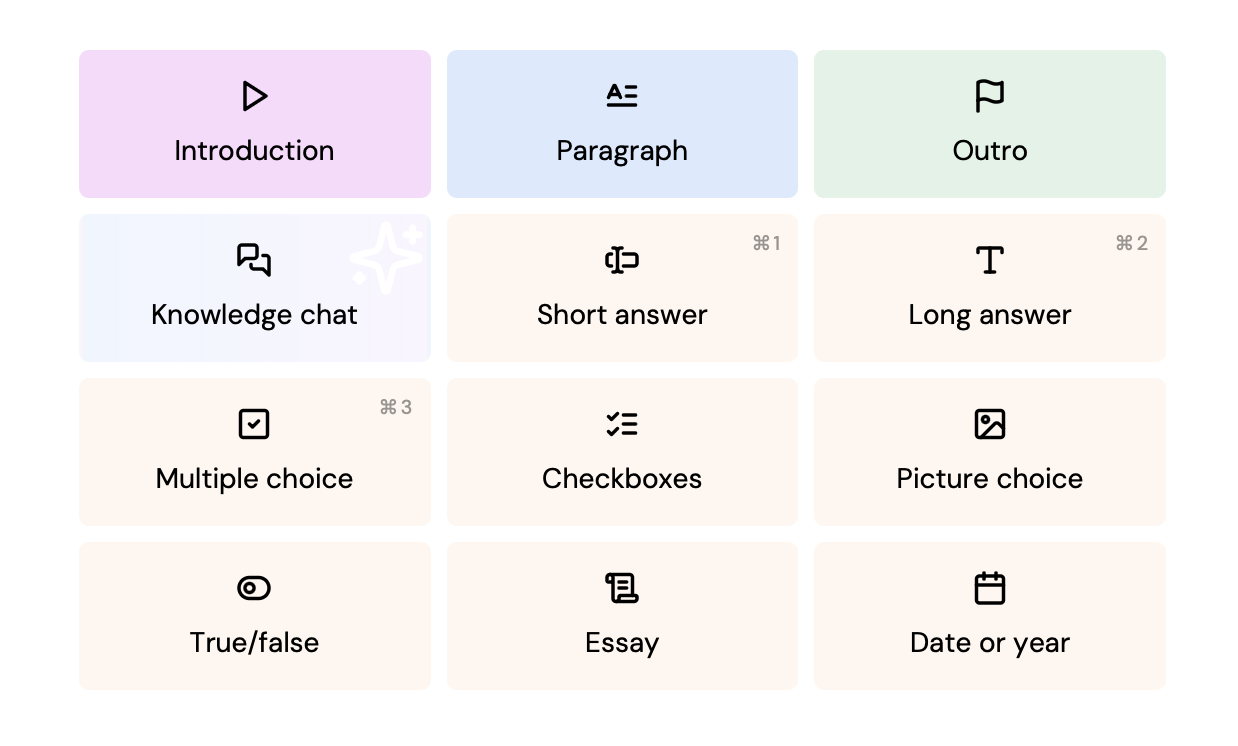
The name and description fields are used to display the question type in the UI. The icon field points to the SVG icon that represents the question type.
This SVG will be displayed in the question adder, and possibly in other places in the UI. Specifications:
- Displayed as a 24×24‑pixel icon
- Should either use
blackorcurrentColoras the only fill color
Most of the icons in the default question types are based on Lucide icons. You can use these icons as a starting point for your own question type icons. We recommend a stroke width of 2.25px when exporting the SVG from the Lucide website.
Components
The components field is an object that defines the React components used for different views of the question type. The keys are the view names, and the values are the paths to the component files.
Component files can be written in TypeScript or JavaScript, and should have a default export that is a React component. The component will receive the question data as props, which you can use to render the question in the specific view.
new QuestionType({
  components: {
    assessment: "./short-answer/component-assessment.tsx",
    print: "./short-answer/component-print.tsx",
  },
});
More information about the components can be found in the components documentation.
Questions without any components are allowed, but are only useful in specific cases (the default question types include 'paragraph', 'intro' and 'outro' which do not have any components). If you don't provide any components, the student can't interact with the question in the assessment view, but the title and description will still be displayed.
Settings
Question types can have settings that are displayed in the question editor:
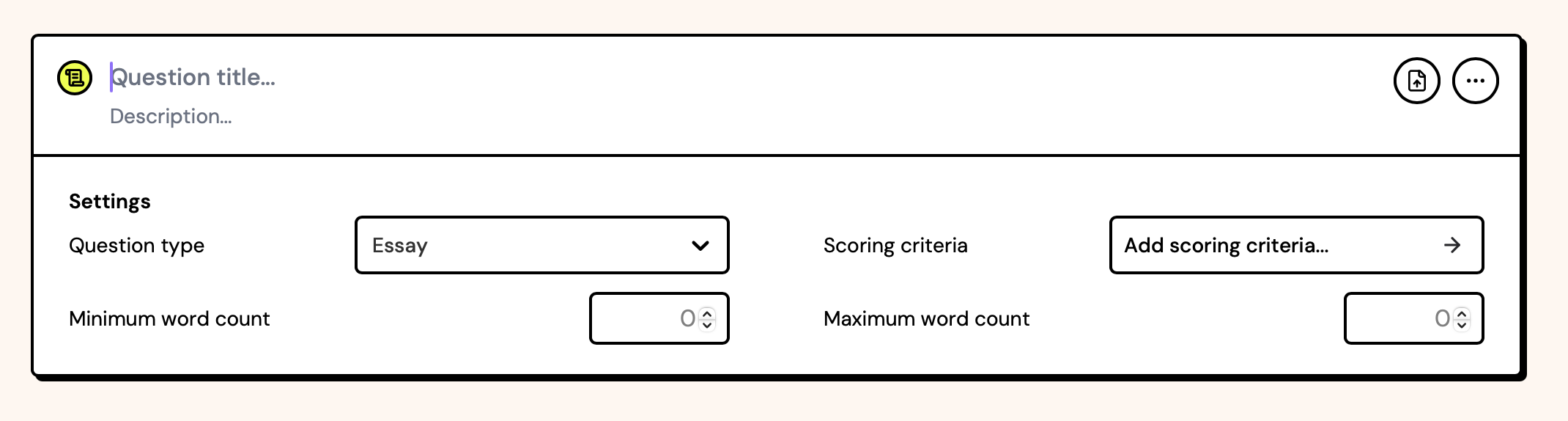
These settings are defined in the settings of the definition. Default fields 'question type', 'tags', and 'scoring criteria'/'points' will always be present, but in this example the following were added:
new QuestionType({
  settings: [
    {
      id: "minWords",
      name: {
        en: "Minimum word count",
        nl: "Minimaal aantal woorden",
      },
      type: "number",
      placeholder: "0",
      step: 50,
    },
    {
      id: "maxWords",
      name: {
        en: "Maximum word count",
        nl: "Maximaal aantal woorden",
      },
      type: "number",
      placeholder: "0",
      step: 50,
    },
  ],
});
You can also add settings one at a time with addSetting(), after those in the definition:
const essay = new QuestionType({
  // ...
});

essay.addSetting({
  id: "minWords",
  name: { en: "Minimum word count", nl: "Minimaal aantal woorden" },
  type: "number",
  placeholder: "0",
  step: 50,
});

export default essay;
Each settings object can have the following fields:
| Field | Type | Description |
|---|---|---|
id | string | A unique identifier for the setting, used to store the value in the question data. This should be a valid JavaScript identifier. |
name | Translatable | The name of the setting, displayed in the UI. |
type | string | The type of the setting. See below. |
helpText | Translatable | Optional information for the user, shown as a tooltip on hover. |
description | string | An optional description for the setting, used exclusively for AI generation. Useful to specify the format of the values expected. |
default | any | The default value for the setting. Must match the setting type. |
hidden | boolean | If true, the setting will not be shown in the question editor UI. Useful for settings that are managed programmatically or set via import, rather than by the teacher. |
required | boolean | If true, marks the setting as required when the AI generates a question of this type — the AI must populate it. This is not enforced when a question is created or edited manually in the question editor. |
index | number | Controls the display order of this setting relative to the built-in ones (which use negative indices) and other custom settings. Lower values are shown first. Optional — settings without an explicit index are shown in array order, after the built-ins. |
options | array | An array of options for enum type settings. Each option should be an object with value and label fields, where value is the actual value stored in the question data, and label (Translatable) is the text displayed in the UI. |
schema | object | A JSON Schema describing the value of a custom setting. The AI uses it to generate a value of the right shape. Defaults to a string when omitted. |
placeholder | Translatable | A placeholder text for the input field, displayed when the field is empty. |
step | number | The step size for number inputs. Optional. |
min | number | The minimum value for number inputs. Optional. |
max | number | The maximum value for number inputs. Optional. |
The following settings types are supported:
enum- A dropdown with a list of options. Theoptionsfield is required.boolean- A checkbox/switch. The value will betrueorfalse.number- A number input field. Theplaceholder,step,minandmaxfields are optional.string- A single-line text input field. Theplaceholderfield is optional.string-array- A multi-value input where users can add and remove string entries. Stored as an array of strings.custom- A value of any shape, such as an object or a list of objects, that has no input in the question editor. Your own components can read and write it. Describe its shape inschemaso AI-generated questions fill it in correctly.
Optional fields
These other fields are available in the definition:
| Field | Type | Description |
|---|---|---|
readme | string or object | The path of a Markdown file describing the question type, or one per language code. Shown on its page in the question type library. |
previewImage | string or object | The path of a preview image, or one per language code, shown in the question type library. |
generation.enabled | boolean | If true, the question type can be automatically generated by the platform's AI exam generator. |
generation.instructions | string or string[] | Optional additional AI instructions for generating questions of this type. |
grading.enabled | boolean | If true, the question type can be automatically graded by the platform's AI grading system. |
grading.instructions | string or string[] | Optional additional AI instructions for grading questions of this type. |
scanning.instructions | string or string[] | Optional additional AI instructions for converting scanned student answers for this question type. |
capabilities["answer-scanning"] | boolean | Whether this question type supports scanning student answers using their phone camera. Only supported in practice space flows. |
responseProcessing | object | Defines deterministic auto-grading logic using a JSONata expression. See Question grading. |
export.qti3 | object | Configures native QTI 3.0 export for this question type instead of the default PCI wrapper. See QTI interchange. |
import.qti3 | object | Maps incoming QTI 3.0 interaction data to this question type's settings on import. See QTI interchange. |
timeEstimateMinutes | number | An estimate of the time required to answer the question, in minutes. |
translations | object | An object containing translatable strings for the question type, such as placeholders. |
isAi | boolean | Specifies that this question type uses AI functionality within the question. |
backgroundColor | string | A CSS color value for the background color of the question type in the UI. |
enforcePosition | "start" or "end" | Specifies whether the question type should always be added at the start or end of the question list in an exam. Also limits an exam to a single question of this type — once one exists, teachers can't add another. |
enforceTitle | Translatable | Force questions of this type to always have a specific title. |
hideSettings | boolean | If true, question settings will not be displayed in the UI when editing a question of this type. |
isPreviewRefreshable | boolean | If true, the question preview shows a refresh button. |
hasSimpleScoring | boolean | Removes the 'scoring criteria' setting, and instead lets the teacher pick points to award for this question. |
titlePlaceholder | Translatable | A placeholder for the title input field in the question editor. |
descriptionPlaceholder | Translatable | A placeholder for the description input field in the question editor. |
untitledPlaceholder | Translatable | A placeholder for untitled questions in the question editor. |
metadata | object | Optional metadata for the question type, with any JSON values, like preview: example question and answer data per language. Not used by the Examplary platform — available to external applications. |