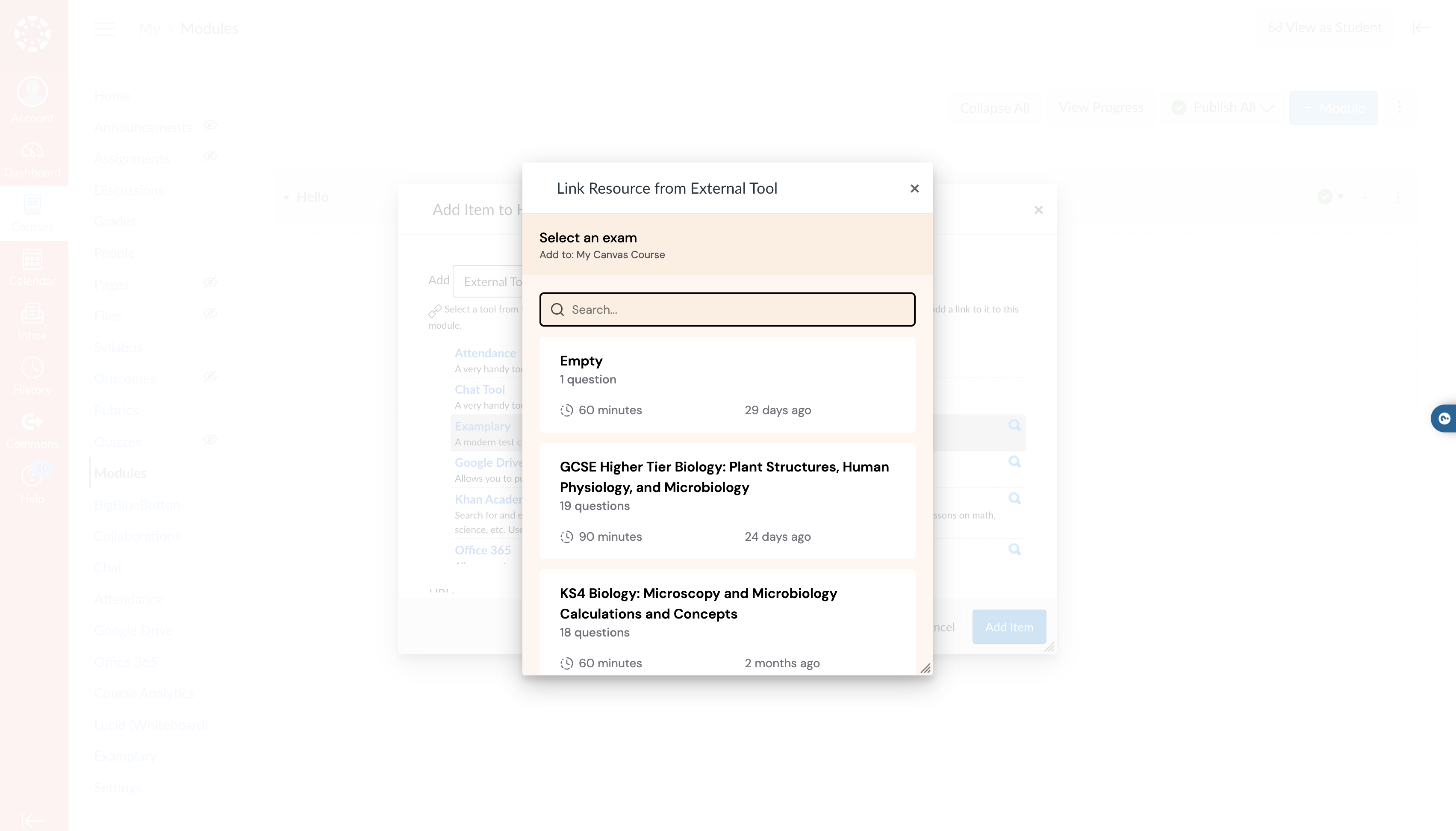
To use Examplary tests within Canvas LMS, you need to connect Examplary as an app.
You can do this either within your course, or across all of Canvas.
Connecting to your course
- Within your course settings, click Apps, followed by View App Configurations
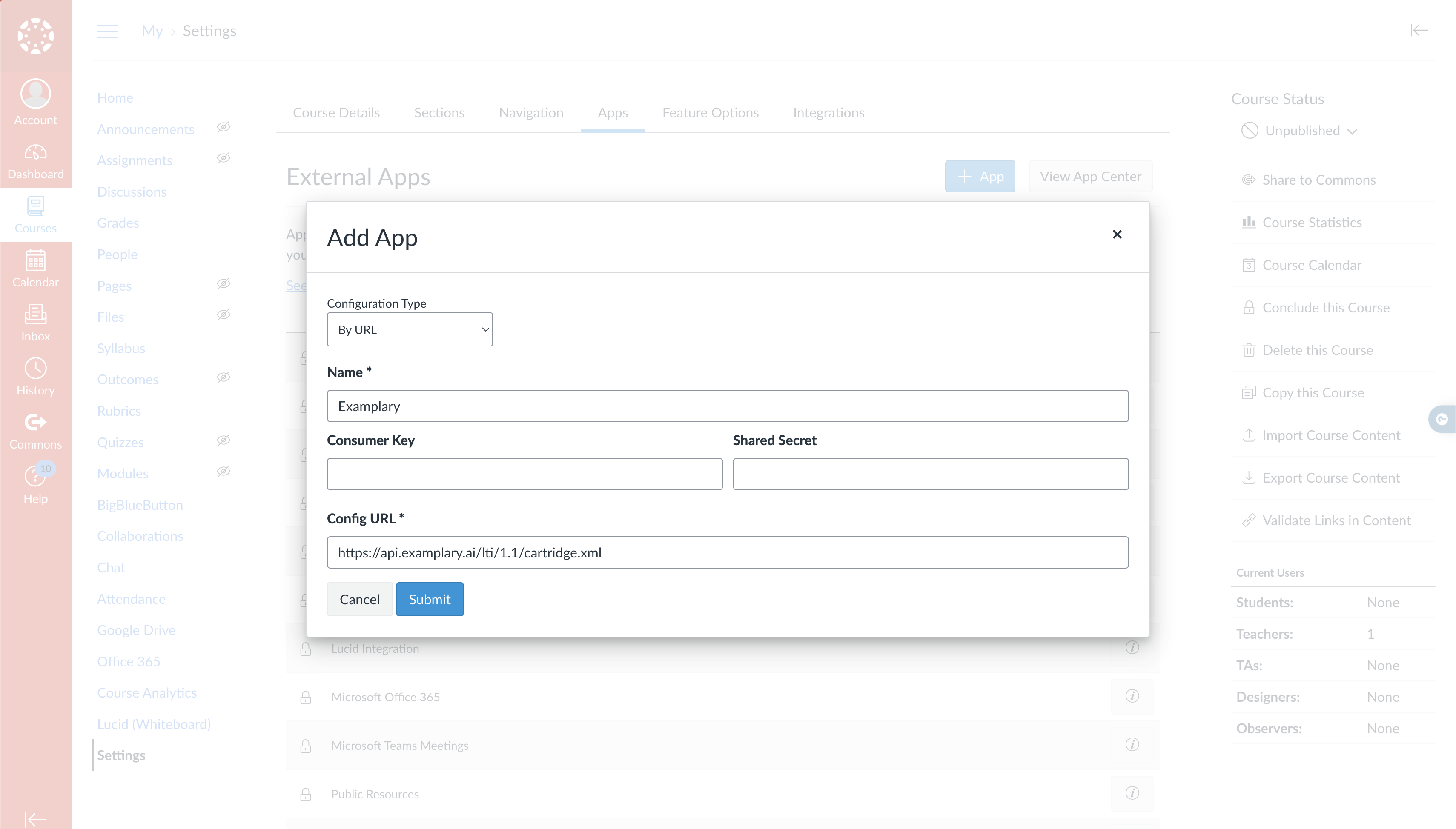
- Click the Add app button, and select By URL
- Enter
Examplaryas the name, and the URL:https://api.examplary.ai/lti/1.1/cartridge.xml
Selecting a resource
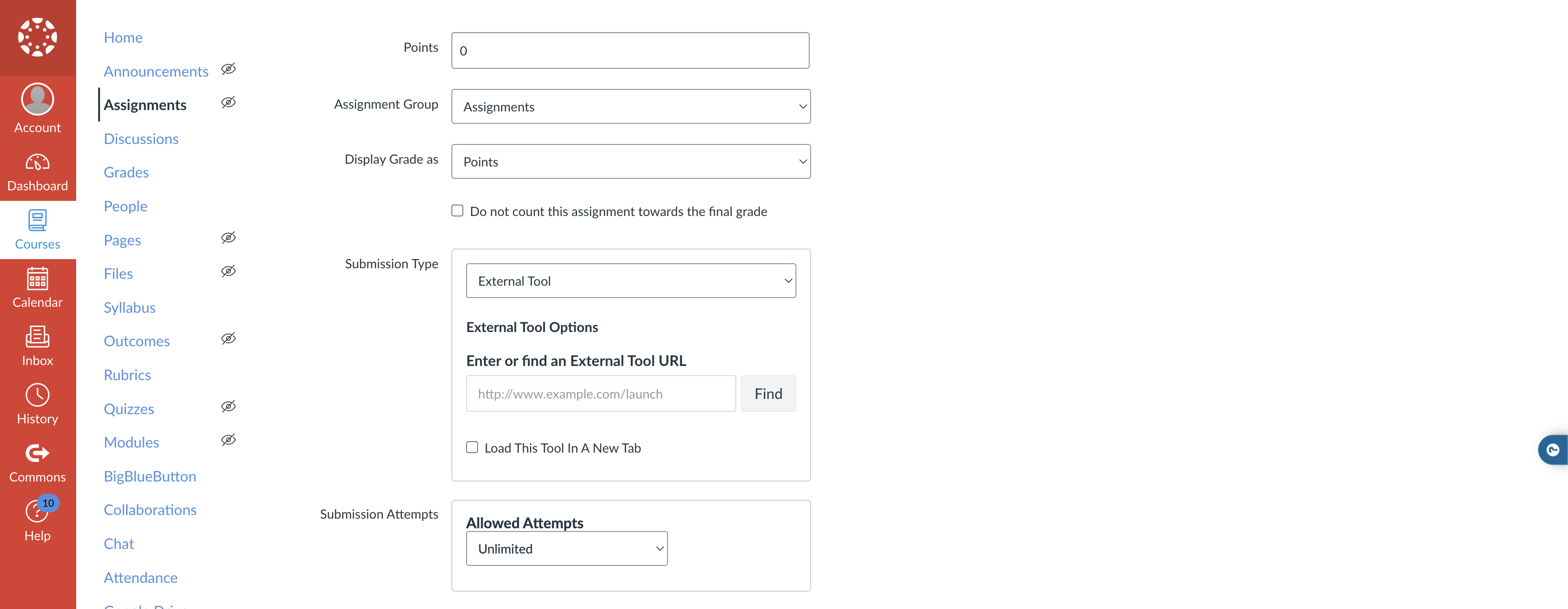
- Create a new assignment in your course
- In the assignment settings, find the External Tool section, click Find and select Examplary from the list of available tools
You'll then be able to select the test from Examplary you wish to use in your assignment. The same can be done within modules and links.