Entree Federatie is a free service offered by Kennisnet in the Netherlands that allows users to log in to multiple services using a single account. By integrating Examplary with Entree Federatie, your users can log in to Examplary using their existing school credentials.
Single sign-on is available on the Examplary for organizations plan. If you're interested in upgrading, contact us via hi@examplary.ai.
Setup process
Setting up an integration requires two steps:
1. Enable Examplary in Mijn Entree Federatie
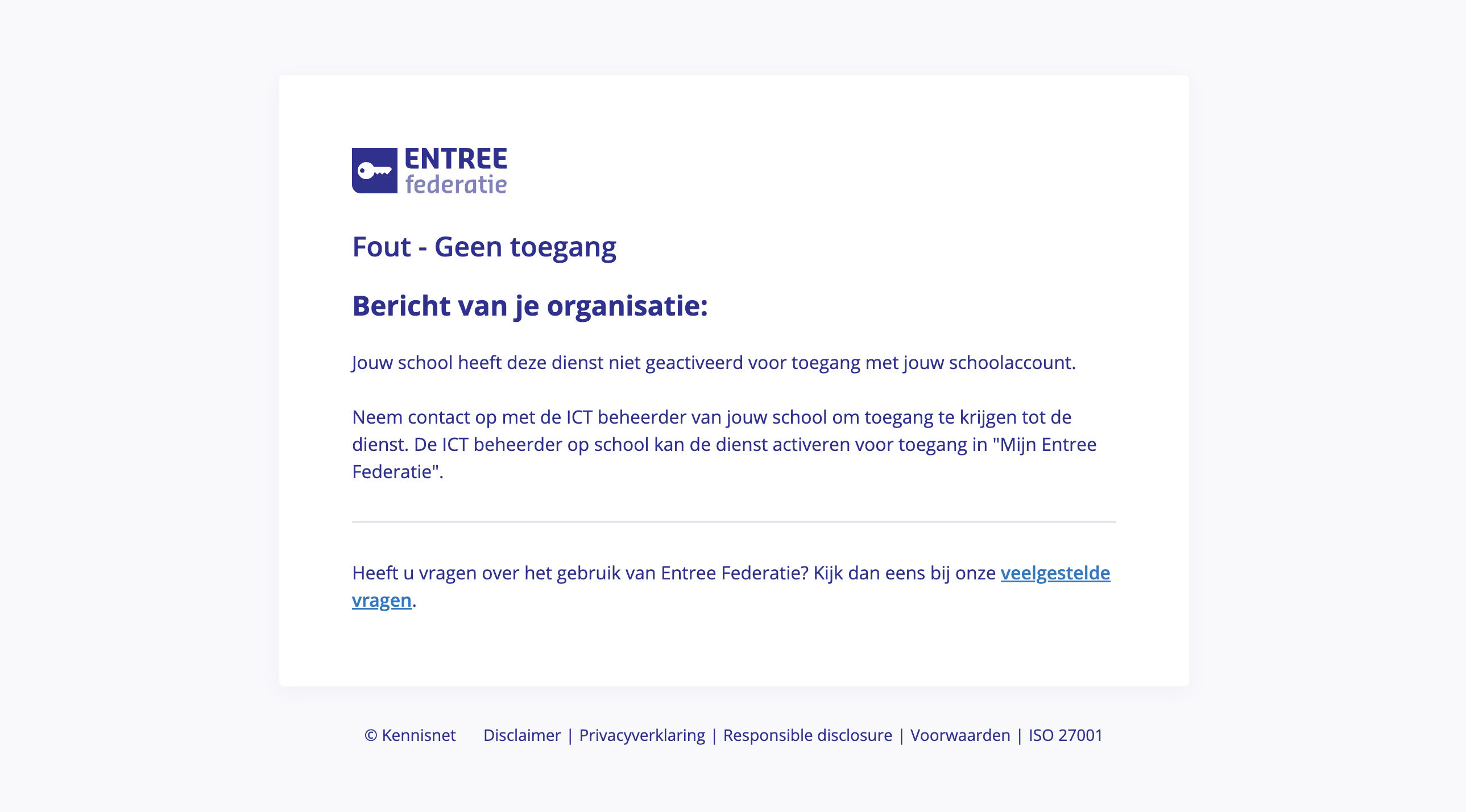
In the Entree dashboard for schools, an administrator needs to activate Examplary as a service for your school. This is done by adding Examplary to the list of available services in the Entree Federatie dashboard.
Without this, when users of your school try to log in to Examplary, they will see this error message:
2. Turn on Entree Federatie in Examplary
To make sure users logging in with Entree Federatie are recognized as part of your organization, an administrator switches it on in Examplary.
Go to Account → Access & domains, find the Single sign-on section, choose Sign in with Entree Federatie, and enter your school's BRIN number (for example 01AB). Click Save sign-in method to confirm.
The BRIN number is what we use to match people signing in through Entree Federatie to your organization, so make sure it's the same one your school uses in Entree Federatie.
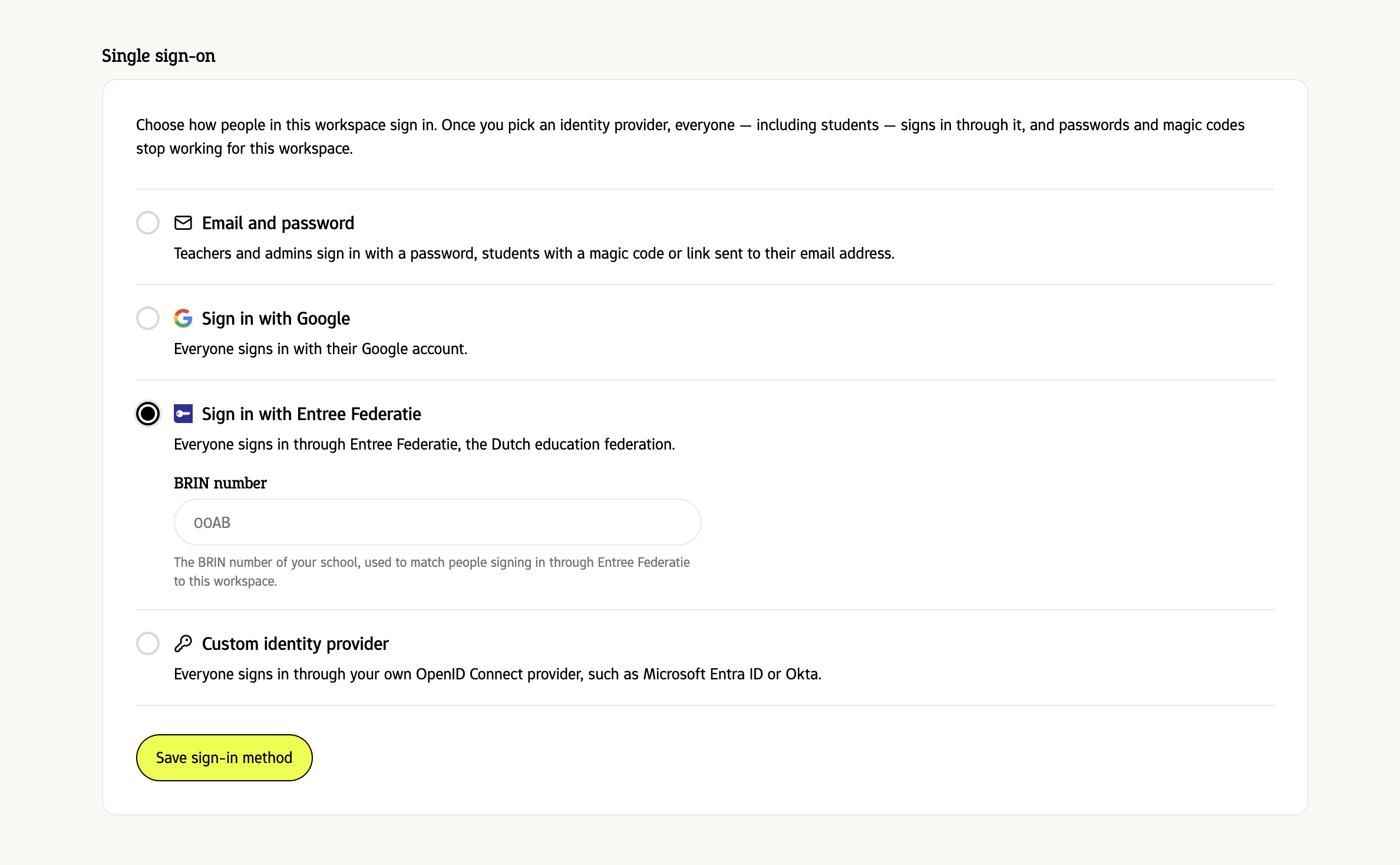
Once you switch to Entree Federatie, everyone in your organization signs in through it — students included. Passwords and emailed codes stop working, so make sure your users can reach Entree Federatie before you turn it on. See Setting up single sign-on for the other sign-in methods, how to switch back, and what to do if you get locked out.
Once the integration is set up, new user accounts will automatically be created in Examplary when a user logs in for the first time using Entree Federatie. This can have billing implications, since it might increase the number of paid seats in your organization.
Letting users sign in directly
To make the login process easier, you can send a user straight to Entree Federatie to sign in to Examplary. To do so, use your organization-specific URL.
- If you're using a custom domain for your organization, going to that domain will redirect users to Entree Federatie for login.
- If you're using the default Examplary domain, you'll want to use a URL in this format:
https://app.examplary.ai/org_12345. Replaceorg_12345with your actual organization ID.
About user roles and groups
Examplary uses data provided by Entree to automatically assign users to the correct role in Examplary. The mapping is as follows:
| Entree role | Examplary role |
|---|---|
| student | student |
| employee | teacher |
| staff | teacher |
| affiliate | n/a |
We also automatically assign users to a group based on the ou claim, which usually contains the class or group of a student.