
You can put an Examplary test in a Canvas course, as an assignment or as a module item. First you add Examplary to Canvas as an app, with one configuration URL: a teacher can do that for a single course, and a Canvas admin for every course at once. Students then open the test straight from Canvas.
Canvas connects to Examplary through LTI 1.1. Using a different learning platform? See Connecting your learning platform to Examplary.
Add Examplary to your course
- In your course, go to Settings and open the Apps tab.
- Click + App and choose By URL as the Configuration Type.
- Enter
Examplaryas the Name andhttps://api.examplary.ai/lti/1.1/cartridge.xmlas the Config URL. Leave Consumer Key and Shared Secret empty. - Click Submit.
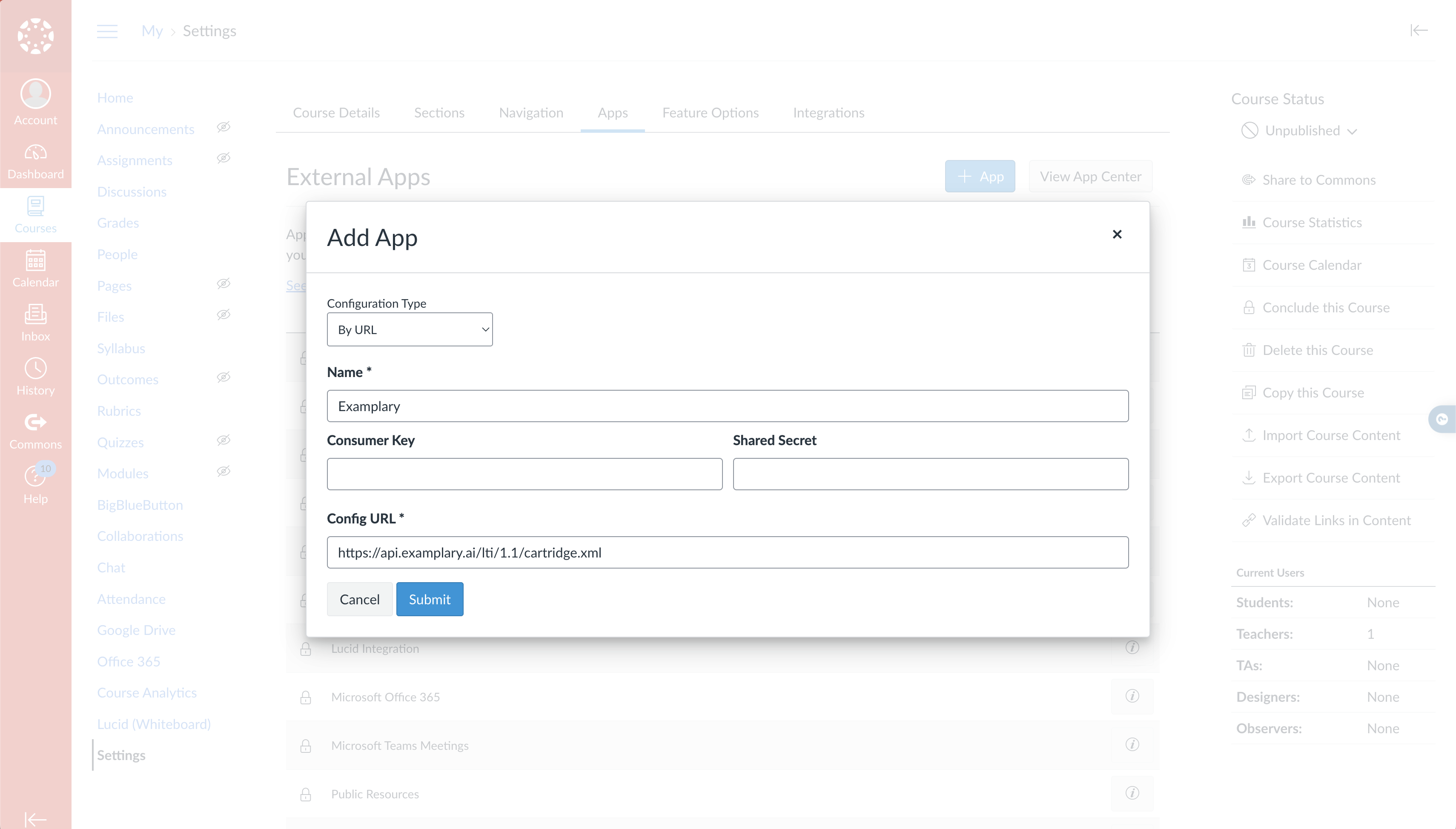
A Canvas admin can add Examplary the same way in the account settings, so it's available in every course.
Add a test to an assignment
- Create a new assignment in your course.
- Under Submission Type, choose External Tool, click Find and select Examplary.
- Examplary opens with Select a test. Sign in to Examplary if it asks you to, then click the test you want.
- Save the assignment.
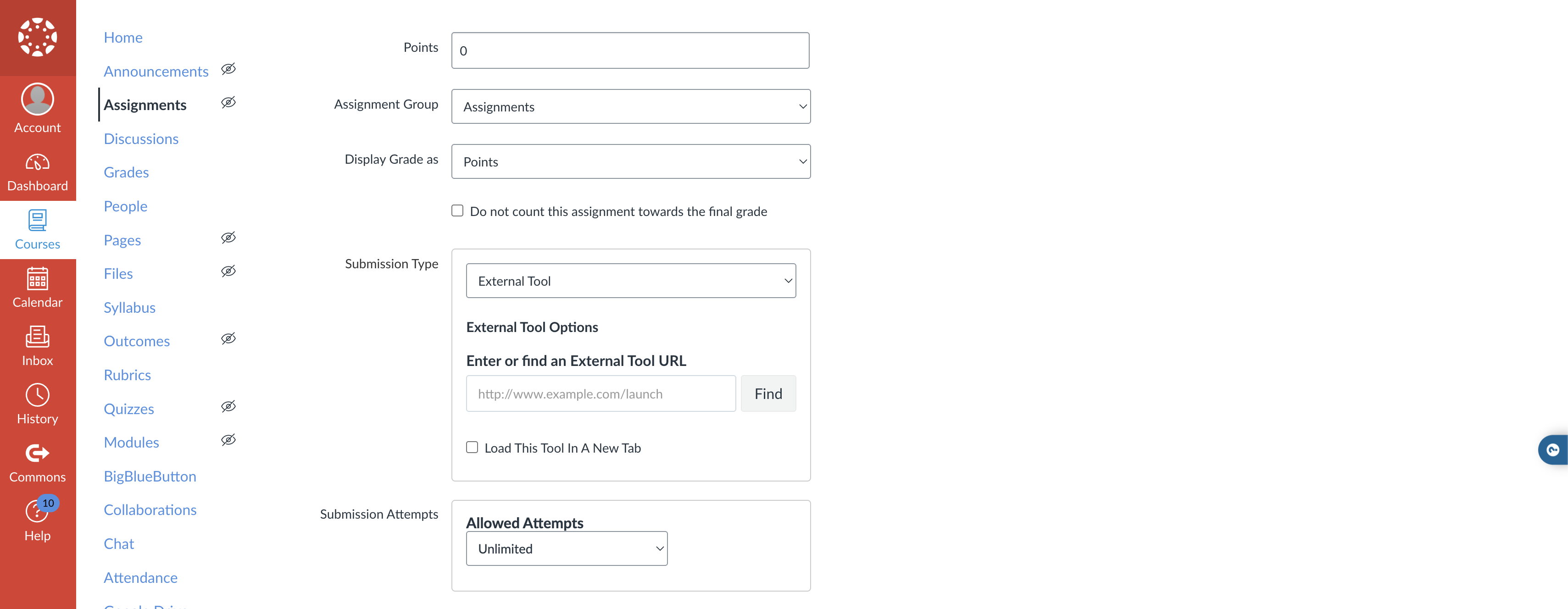
If the test isn't open to Anyone with the link yet, Examplary switches it to that when you pick it, so your students can open it from Canvas.
Add a test to a module
Adding a test to a module works the same way: add an item to the module, choose External Tool, select Examplary and pick the test.
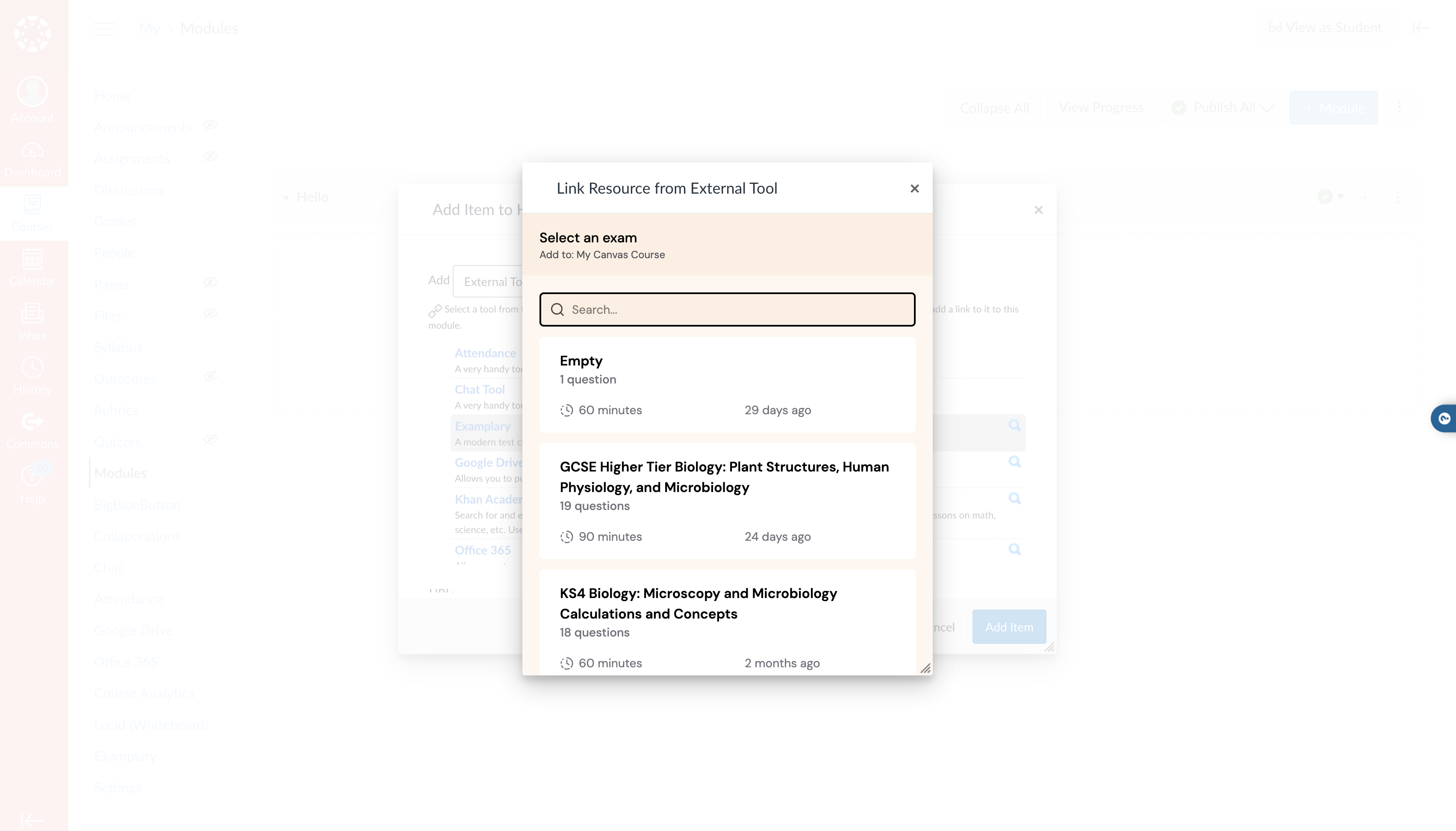
What students see
Students open the assignment or module item in Canvas, and the test opens in Examplary. They don't sign in to Examplary through Canvas: a student without an Examplary sign-in fills in their name before starting.
Scores don't go back to the Canvas gradebook. You review the answers in Examplary, with AI grading suggesting scores where you use it, and publish the results there. See Reviewing answers and publishing results.
Troubleshooting
Examplary isn't in the list of external tools. Add the app to the course first, or ask your Canvas admin to add it for every course.
Examplary asks me to sign in inside Canvas. Sign in with your Examplary account. The list then shows your tests.
My students have to fill in their name. They aren't signed in to Examplary, so their results are under the name they enter. You can link a result to the right student afterwards with Link to student account.